














Monochrome Ace - Play Online shoot-em-up Game
Play Monochrome Ace online, a retro 1-bit space shooter game. Control your spacecraft, shoot enemy ships, collect health power-ups, and chase a high score.
Game Intro
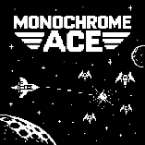
Monochrome Ace is a retro-inspired, side-scrolling space shooter that brings back the simple look and feel of classic arcade games. Built around a distinctive 1-bit visual style, the game uses a limited monochrome color palette to create a clean, old-school appearance while keeping the action easy to follow.
Your task is to take control of your spacecraft and shoot down incoming enemy ships while trying to achieve the highest score possible. Enemies appear as you progress, so you'll need to stay alert, move carefully, and keep firing to survive for as long as you can.
The controls are straightforward, making Monochrome Ace easy to pick up whether you're playing on a desktop computer or a touchscreen device. Power-ups also give you a chance to recover health and stay in the fight a little longer.
If you enjoy arcade-style shooting games with simple controls, retro graphics, and score-based challenges, Monochrome Ace is worth a try.
How to Play Monochrome Ace
The main objective is to destroy as many enemy spacecraft as possible and earn a high score. Use your mouse to move your ship around the screen on a desktop, or drag your finger across the touchscreen when playing on a mobile device.
Keep an eye on the enemies as they appear and position your spacecraft to avoid danger while attacking them. Shooting regularly helps you deal with incoming enemies, but movement is just as important. Try to stay out of harm's way and collect health power-ups whenever they appear.
Power-ups restore your player's health, giving you a better chance of surviving longer. Extra health can also contribute to a higher score, so collecting these items can be useful when trying to improve your performance.
Controls
Monochrome Ace uses simple mouse and touchscreen controls:
- Mouse Movement: Move your mouse to control the position of your spacecraft.
- Touchscreen: Move your finger across the screen to guide your ship on mobile and tablet devices.
- Left Mouse Click: Shoot at enemy spacecraft. It can also be used to return to the start screen when applicable.
- Shooting: Keep firing to destroy as many enemies as possible and increase your score.
- Power-ups: Collect health power-ups to restore health and improve your chances of lasting longer.
Tips for Getting a Higher Score
- Keep moving instead of staying in one position for too long.
- Watch enemy movements and adjust your position to avoid getting hit.
- Shoot frequently to take down as many enemy spacecraft as possible.
- Collect health power-ups whenever you get the opportunity.
- Try to survive longer and build up a better score with each attempt.