

























Super Mario 64 DS (2004) | Nintendo DS Video Game
Experience the expanded remake of a masterpiece. Play Super Mario 64 DS online to explore Peach Castle with Yoshi, Luigi, and Wario. 150 Stars, new mini-games, and classic 3D platforming await.
Game Intro
If you grew up with a Nintendo 64, you probably remember the first time you jumped through a painting in Peach’s Castle. Super Mario 64 DS takes that foundational 3D experience and packs it into a handheld, but calling it a "port" doesn't really do it justice. Released as a launch title for the Nintendo DS, this version actually feels like an expansion pack.
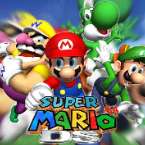
The story starts familiar—Peach invites Mario over for cake, Bowser ruins the party—but there’s a massive twist right out of the gate: Mario gets captured too. You actually start the game as Yoshi, and your first mission is to break into the castle and rescue the famous plumber. This version bumps the Star count from 120 to 150 and introduces a roster of four playable characters—Yoshi, Mario, Luigi, and Wario—each bringing their own physics and special abilities to the table. Whether you're flying through the air or punching through black brick walls as Wario, it feels like a fresh take on a world many of us already know by heart.
How to Play
The core loop remains the same: enter paintings, complete objectives, and collect Power Stars to unlock more of the castle. However, the way you navigate these worlds has changed. Because you have four different heroes, some Stars that were easy for Mario in the original might require Luigi’s high jump or Wario’s raw strength in this version.
- Switching Characters: You unlock characters by finding their specific doors in the Princess’s room. You can also find "caps" within levels that let you temporarily transform into another hero.
- The Second Screen: The bottom DS screen acts as your map and radar. It’s a lifesaver for finding 8 Red Coins or tracking down those elusive Boos.
- Mini-Games: One of the best additions is the massive collection of touch-screen mini-games. You unlock these by catching glowing rabbits scattered throughout the castle. They range from card games with Luigi to frantic "slingshot" action, and they’re surprisingly addictive on their own.
Controls
Transitioning a game designed for an analog stick to a D-pad was a bold move by Nintendo, but they utilized the DS hardware to make it work.
- D-Pad / Arrow Keys: Used for basic movement. To run, you'll need to hold down the Y button.
- A Button / Z Key: Performs your character’s primary attack (Yoshi’s tongue, Mario’s punch, etc.).
- B Button / X Key: Jump. Double-tapping or timing jumps leads to the classic triple-jump.
- R Button: Crouch or Ground Pound (while in mid-air).
- Touch Screen: You can use the stylus or the "thumb strap" on the bottom screen for 360-degree movement, which mimics an analog stick. The touch screen also allows you to rotate the camera manually to get a better view of the platforming ahead.
Touch Device Controls
You can use on-screen controls on touch devices, such as Android mobiles, Apple phones, iPhones, tablets, iPads, and other devices with touch support.