
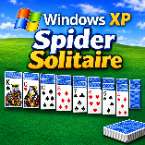




























Windows XP Spider Solitaire – Play the Classic Original Game
Play Windows XP Spider Solitaire online in your browser. Enjoy classic gameplay with 1, 2, and 4 suit modes, hints, statistics, and save and load support.
Game Introduction
Windows XP Spider Solitaire brings back the familiar card game that many players remember from the classic Windows XP days. This version recreates the traditional Spider Solitaire experience, keeping the gameplay simple and easy to pick up while making it suitable for modern browsers and systems.
The objective is to arrange all cards into complete sequences, working from King down to Ace in the same suit. As you play, you need to think carefully about which cards to move, when to uncover hidden cards, and how to make room for longer sequences. A single move can open up new possibilities, so planning ahead is often more useful than moving cards as quickly as possible.
Whether you played Spider Solitaire years ago or are trying it for the first time, the game offers the same familiar card-table experience without requiring a complicated setup. You can choose between three difficulty levels, save your progress, check your playing statistics, and return to an unfinished game whenever you want.
How to Play Windows XP Spider Solitaire
The goal of Spider Solitaire is to build eight complete sequences of cards, each running from King down to Ace in the same suit. Once a sequence is completed, it is automatically removed from the playing area.
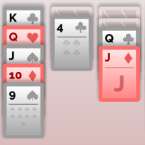
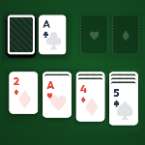
At the beginning of a game, cards are arranged across ten columns, with some cards face down and others face up. You can move a face-up card onto another card that is exactly one rank higher. For example, a 7 can be placed on an 8, regardless of suit.
You can also move a group of cards together when they are arranged in descending order and belong to the same suit. Building these sequences makes it easier to uncover hidden cards and create empty columns, which can be used to organize other cards.
When you run out of useful moves, you can deal another row of cards from the remaining stock. Each deal adds one card to every column, giving you more opportunities to build sequences, but it can also make the layout harder to manage. Try to create empty spaces and uncover as many face-down cards as possible before dealing again.
The game is won when all eight King-to-Ace sequences have been completed and removed from the board.
Difficulty Levels
Windows XP Spider Solitaire includes three difficulty settings, allowing you to choose how challenging each game should be.
- 1 Suit: The easiest option, using only one suit. It is a good starting point for beginners and players who prefer a more relaxed game.
- 2 Suits: A moderate challenge that requires more attention when arranging cards. You can move cards in descending order regardless of suit, but only cards of the same suit can be moved together as a sequence.
- 4 Suits: The most challenging mode, using all four suits. It requires more careful planning because building and moving complete sequences becomes considerably harder.
You can choose the difficulty that suits your experience and switch things up whenever you want a different level of challenge.
Game Features
Classic Windows XP Gameplay
Enjoy the familiar Spider Solitaire rules and traditional card-table layout inspired by the original Windows XP version.
Three Difficulty Options
Choose between 1-suit, 2-suit, and 4-suit gameplay. Each mode offers a different level of difficulty, from beginner-friendly sessions to more demanding card puzzles.
Saved Game Statistics
Keep track of your performance with statistics stored locally on your device. You can review your playing progress and see how your games are going over time.
Save and Load Support
You don't have to finish a game in one sitting. Save an unfinished game and load it again later to continue from where you stopped.
Sound Settings
Turn game sounds on or off whenever you prefer. Play with audio enabled or enjoy a quieter card game.
Hint Feature
If you're unsure what to do next, use the hint option to get help finding a possible move. It's useful when the cards become difficult to organize or you need a little direction.
Game Controls
The game uses simple mouse or touch controls, so there is very little to learn before getting started.
- Select a Card: Click or tap a face-up card to select it.
- Move Cards: Click or tap a valid destination column to move the selected card or sequence.
- Deal Cards: Select the stock pile to deal another row of cards when available.
- Hint: Use the hint option to see a suggested move.
- Sound: Toggle the sound setting on or off.
- Save Game: Save your current progress so you can return later.
- Load Game: Restore a previously saved game and continue playing.
Play Spider Solitaire Online
If you enjoy classic card games, Windows XP Spider Solitaire is a familiar choice for a quick break or a longer session of strategic gameplay. Start with the 1-suit mode to get comfortable with the rules, then move on to 2 suits or all 4 suits when you're ready for a greater challenge.
Take your time, uncover hidden cards, make good use of empty columns, and try to complete all eight sequences. You can save your progress whenever you need a break and pick up the game again later.